It happens to everyone. You're out — shopping, sightseeing, running errands, or halfway through a long walk — and suddenly you need a WC. Right now. Not in ten minutes. Now.
The problem isn't that public toilets don't exist. In most towns and cities, there are plenty of them. The problem is knowing exactly where the nearest one is, whether it's open, whether it's free, and whether it's actually usable when you get there. Searching "WC near me" on a general-purpose map app often returns incomplete results, long-closed facilities, or places where the toilet is customer-only.
This guide covers every method available for finding a public toilet close to your location — and explains why a dedicated toilet finder app gives you faster, more accurate results than anything else.
Why "WC Near Me" Searches Often Fail
Most people's first instinct is to type "WC near me" or "public toilet near me" into Google Maps or Apple Maps. This works sometimes, but it has well-known limitations:
- Missing listings. General maps rely on businesses to self-register. Community toilets, park facilities, and council-run WCs often aren't registered at all.
- No opening hours. A pin on the map doesn't tell you whether the facility is open right now — or whether it closes at 6pm.
- No fee information. You don't know until you get there whether you need exact change.
- No condition data. Whether it's clean, stocked with paper, and actually usable — none of that is available on a general map.
- Outdated data. A toilet that moved, closed, or got locked behind a gate years ago may still appear as a live result.
For a quick search when you're not in a hurry, these limitations are tolerable. When you urgently need a WC near you, they aren't.
How to Use WC Finder to Find a WC Near You
WC Finder is a dedicated public toilet app built specifically to solve this problem. Every listing in the database is a toilet — not a café, not a petrol station, not a hotel lobby. The data is contributed and kept up to date by a community of real users, and every entry includes details that general maps simply don't carry.
Here's exactly how to find the nearest WC to your current location using the app:
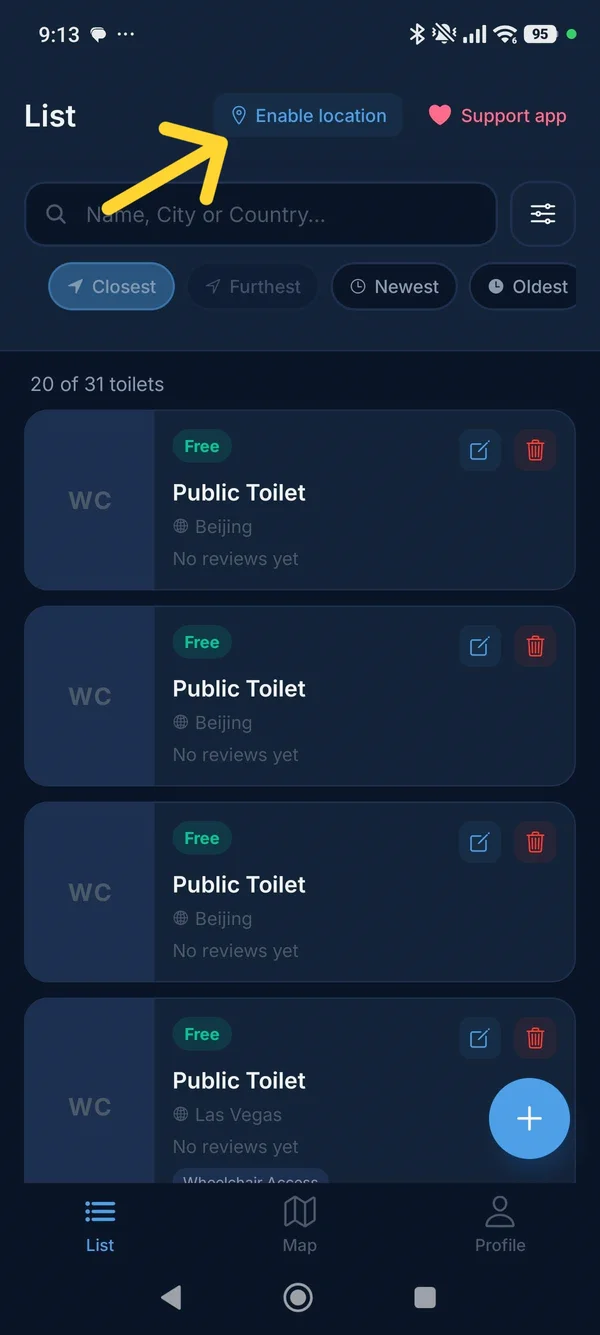
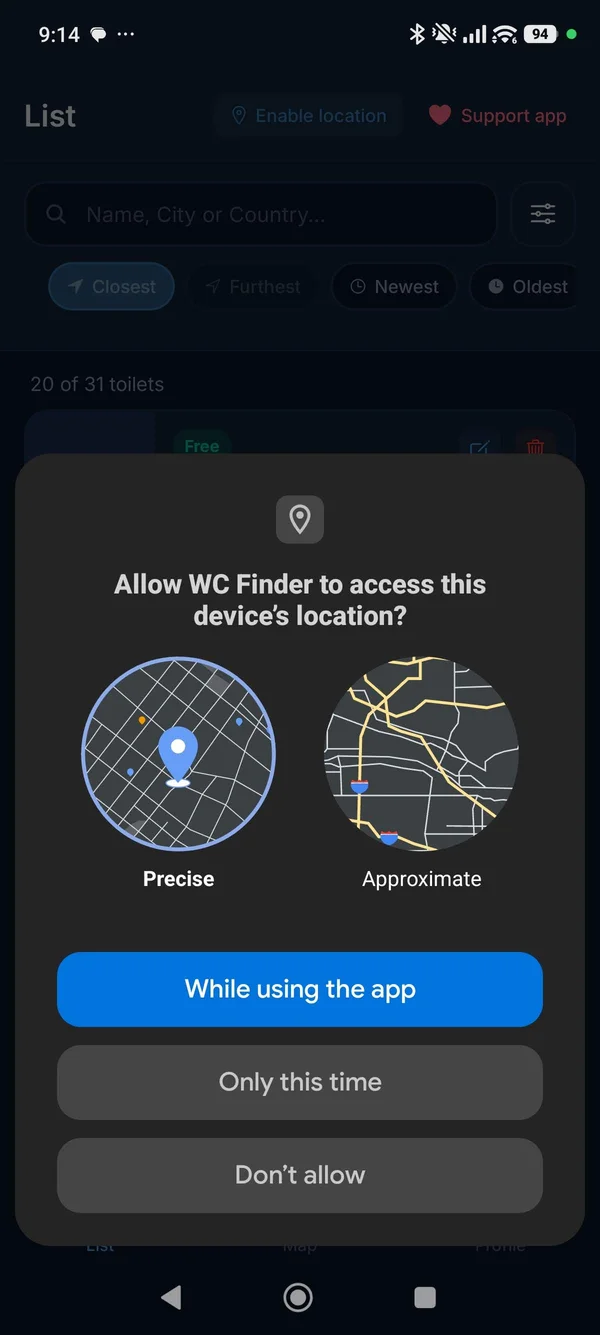
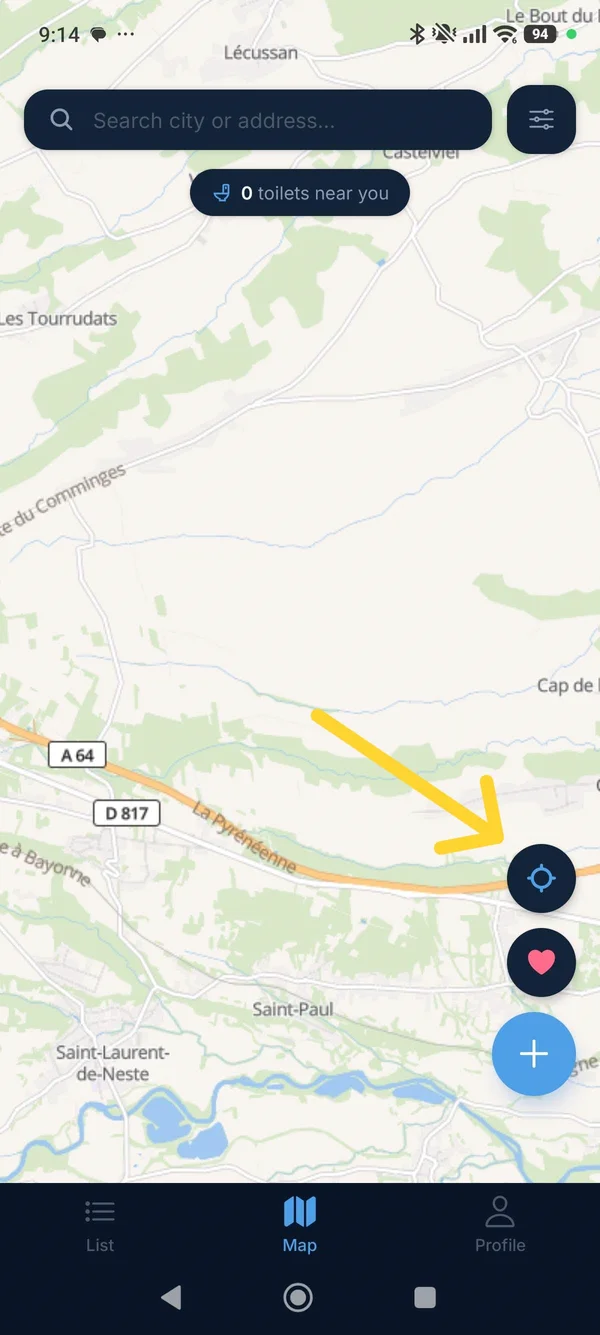
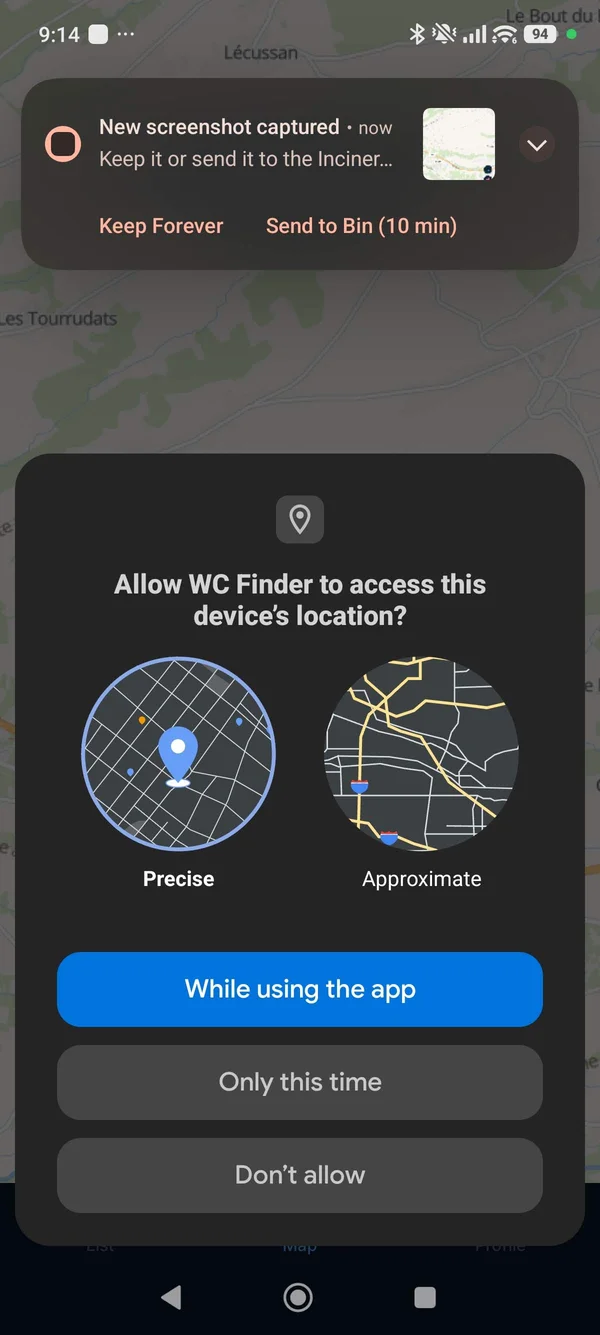
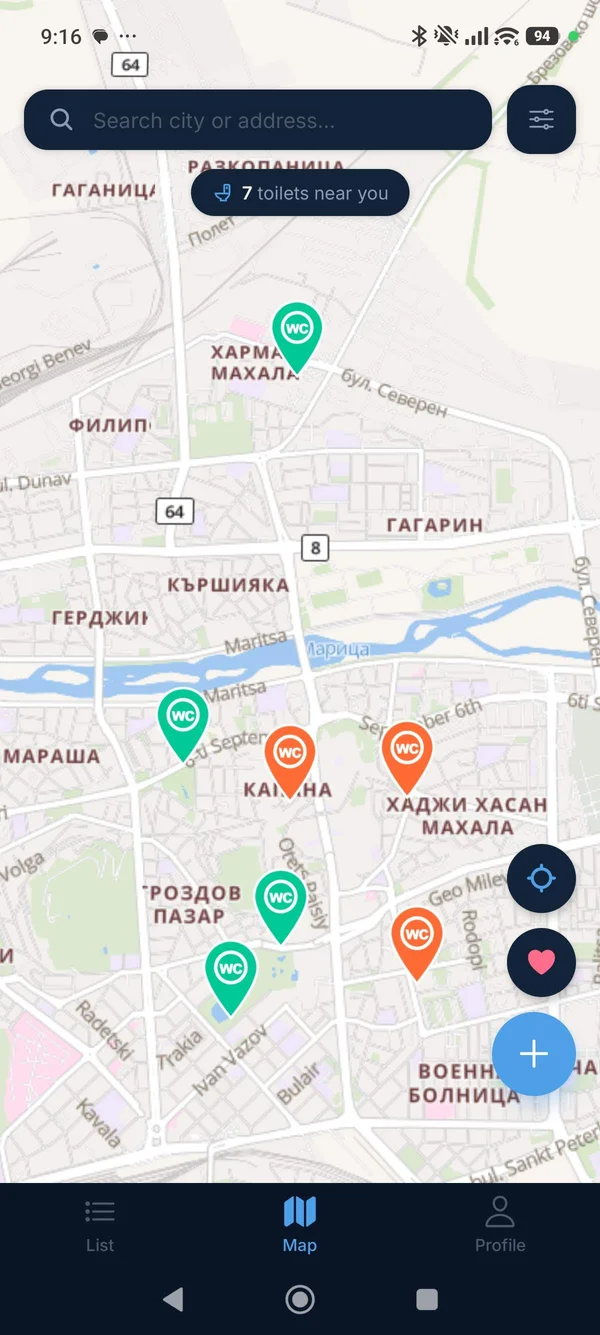
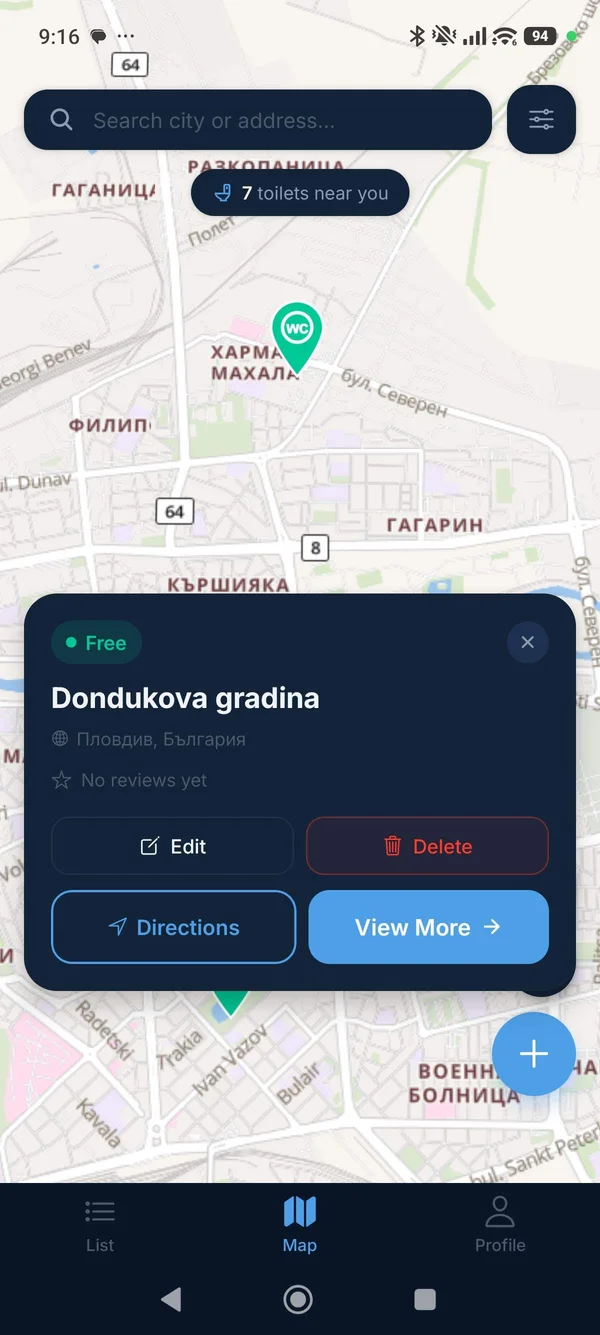
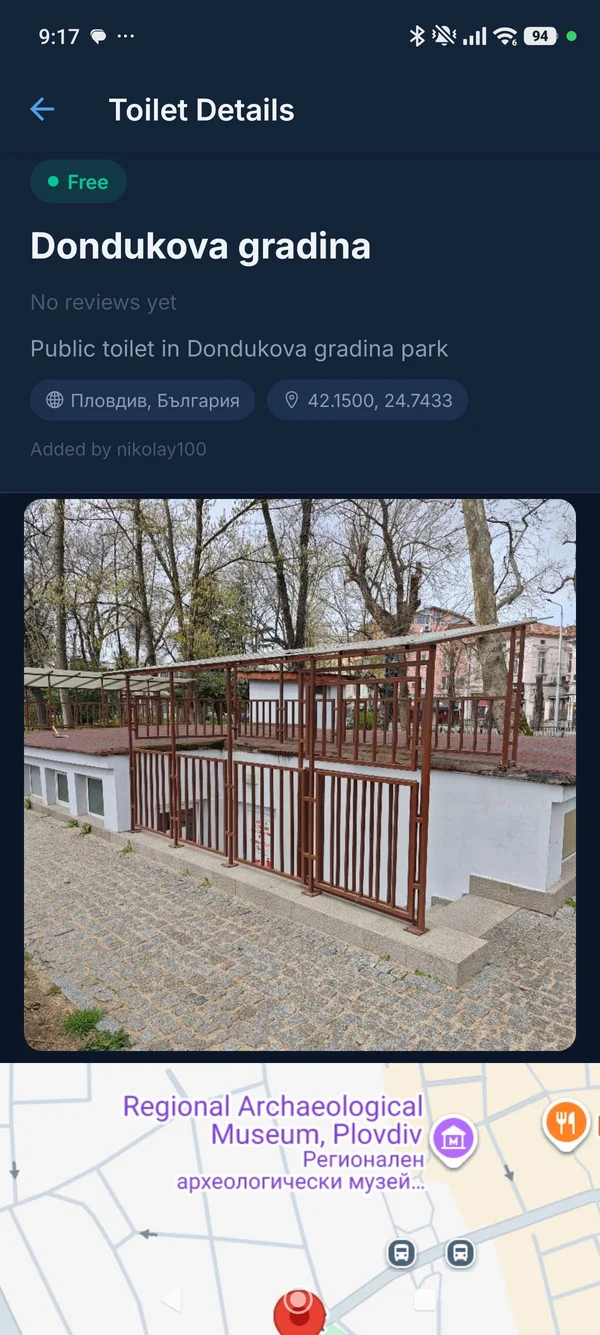
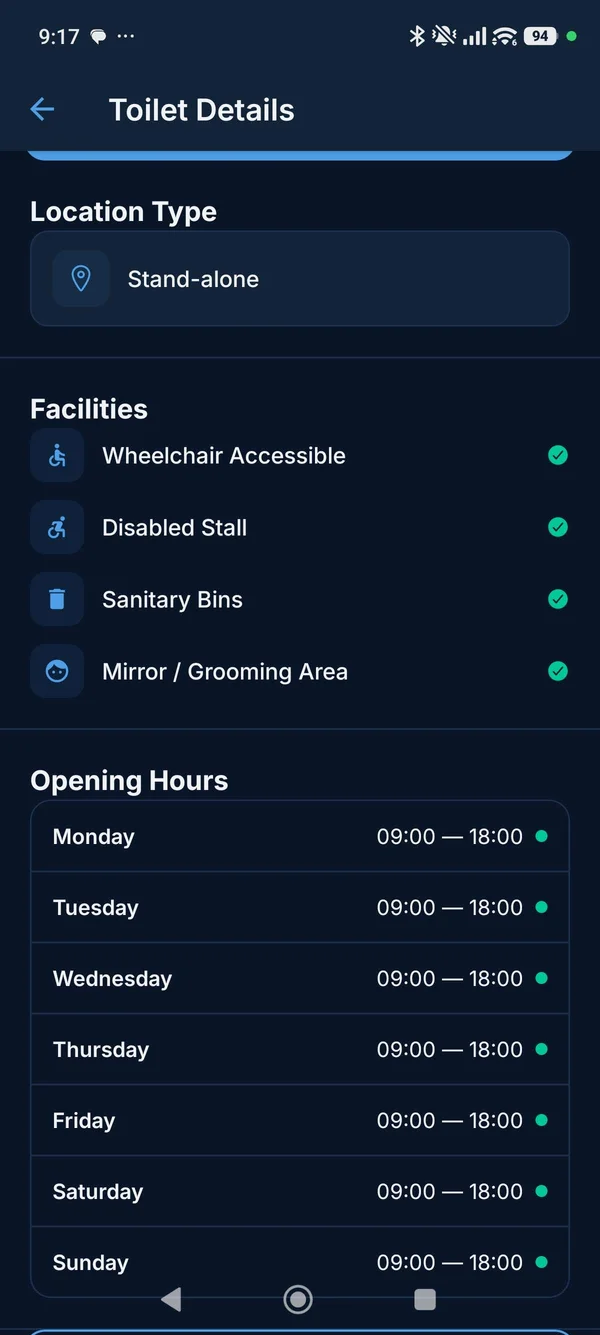
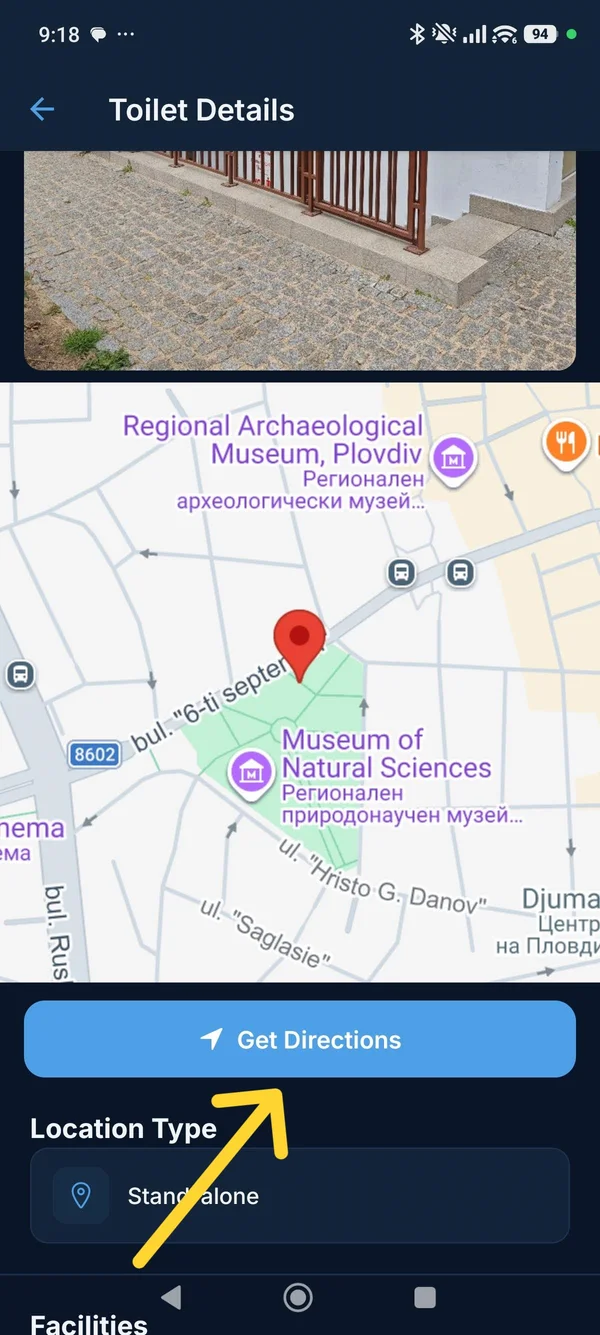
If the nearest toilet is paid and you don't have change, tap the next closest pin and check whether it's free. WC Finder's colour-coded pins let you identify free options at a glance without opening each listing individually.
Filtering Your Search: Find the Right WC, Not Just Any WC
Finding the nearest WC is step one. But sometimes the nearest one isn't the right one — maybe it's paid and you need free, or you need wheelchair access, or you're with a baby and need a changing table. WC Finder's filters let you narrow down the results so the app only shows you toilets that match what you actually need.
To access filters, tap the Filter button at the top of the map screen. The available filters include:
- Free only — hides all paid toilets from the map
- Wheelchair Access — shows only facilities with step-free access
- Baby Changing — essential for parents with young children
- Toilet Paper — for when you can't afford to guess
- Open Now — filters out any facility that's currently closed based on its recorded opening hours
Combining filters is powerful. "Free + Open Now + Baby Changing" gives you a very precise set of results — only the toilets that are currently open, free to use, and equipped with a changing station. This is far more useful than a generic "WC near me" search.
Where to Find Free Public Toilets
When you need a WC near you for free, knowing where to look is half the battle. Public toilets vary significantly by country and city, but there are reliable places to check almost everywhere:
Shopping Centres and Retail Parks
Most large shopping centres have free public toilets accessible to non-customers. They're usually well-maintained and centrally located. The downside is they close when the centre closes — typically by 9pm at the latest.
Parks and Public Spaces
Municipal parks in most European and North American cities have public toilet facilities, usually free to use. Opening hours vary but many are open dawn to dusk. These are among the most reliably free options for anyone outdoors.
Train and Bus Stations
Major transport hubs almost always have public toilets. In some countries (notably the UK and parts of Western Europe) these may be paid — 20p to 50p at station facilities is common. In Eastern Europe they are more often free. WC Finder's listings tell you which applies at each specific station.
Supermarkets
Many large supermarkets have customer toilets that are effectively open to anyone who walks in. They're not always signposted from outside, but the staff will point you to them. Free, usually clean, and open during trading hours.
Fast Food Restaurants
Chains like McDonald's, Burger King, and KFC technically have customer-only toilets, but in practice they're often accessible without a purchase. This varies by location and manager. In busy tourist areas they may enforce customer-only access more strictly.
Before travelling to a new city, open WC Finder and browse the map of your destination. Identify a few free, highly-rated toilets near the places you plan to visit. You'll know exactly where to go when you need to — instead of searching in a hurry when you're already uncomfortable.
Comparing Your Options: WC Finder vs Other Methods
| Method | Speed | Shows opening hours? | Shows price? | Community reviews? |
|---|---|---|---|---|
| WC Finder app | Instant | ✅ Yes | ✅ Yes | ✅ Yes |
| Google Maps | Fast | ⚠️ Sometimes | ❌ No | ⚠️ Limited |
| Apple Maps | Moderate | ⚠️ Sometimes | ❌ No | ❌ No |
| Asking someone nearby | Variable | ❌ No | ❌ No | ❌ No |
| Looking for signs | Slow | ❌ No | ❌ No | ❌ No |
What to Do When There's No WC Listed Near You
In some areas — particularly rural locations, smaller towns, or parts of the world where the WC Finder community is still growing — you may open the app and find no results close to your current location. Here's what to do:
- Zoom out on the map. There may be a toilet 500 metres away that's just outside your immediate view. Pan and zoom the map to search a wider area.
- Remove active filters. If you had filters enabled (free only, open now, etc.), try disabling them to see all nearby toilets regardless of type.
- Head to the nearest large building. Hotels, hospitals, libraries, and large supermarkets nearly always have accessible toilets even if they don't appear in any app.
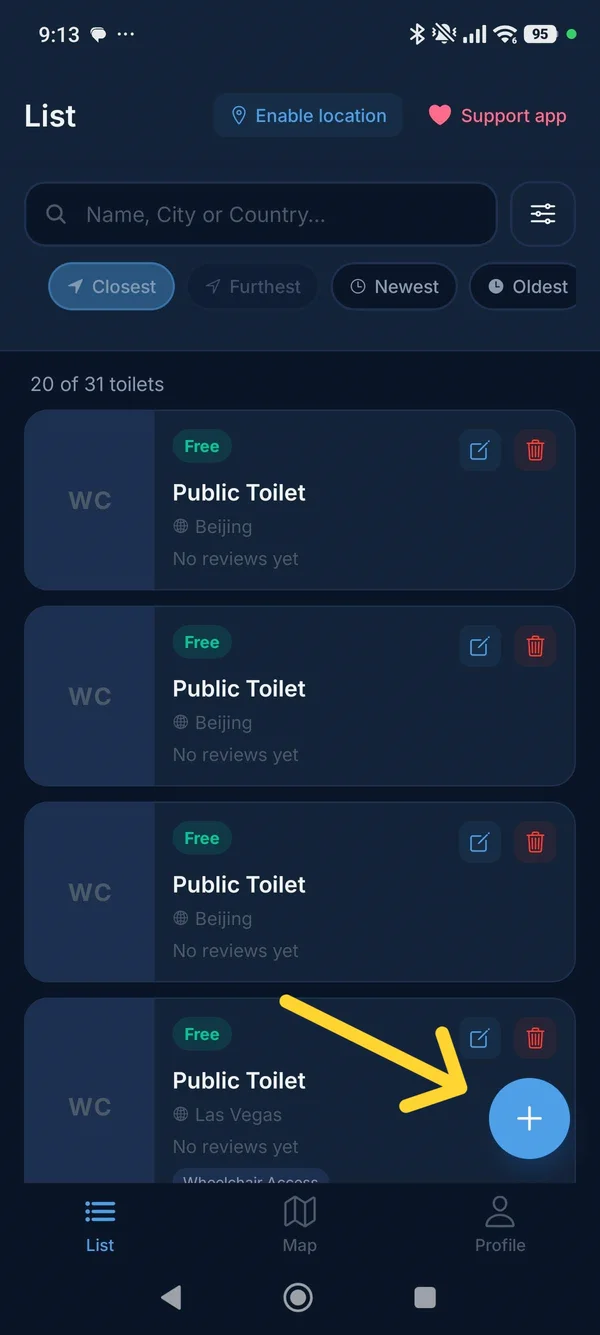
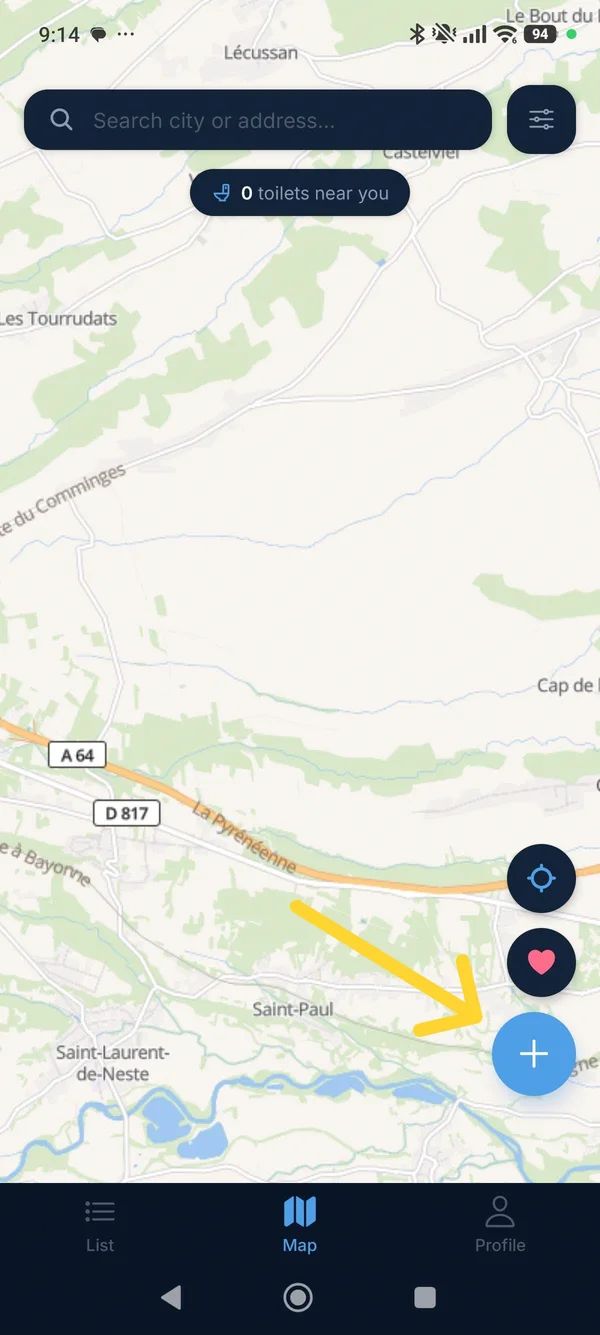
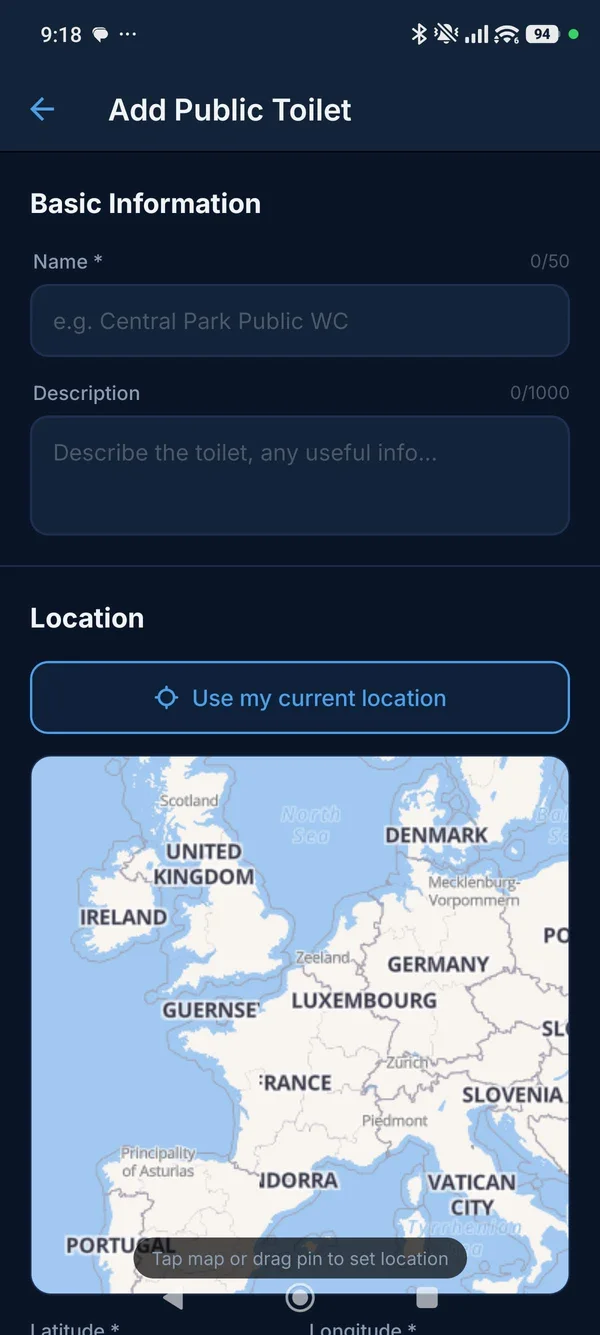
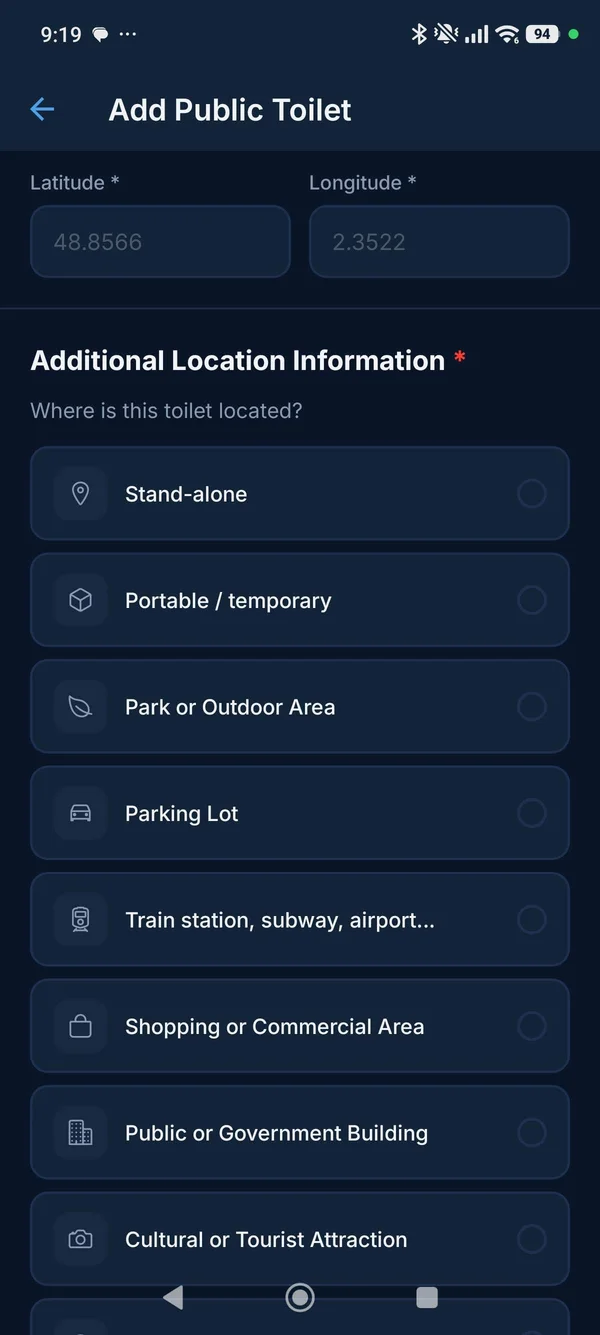
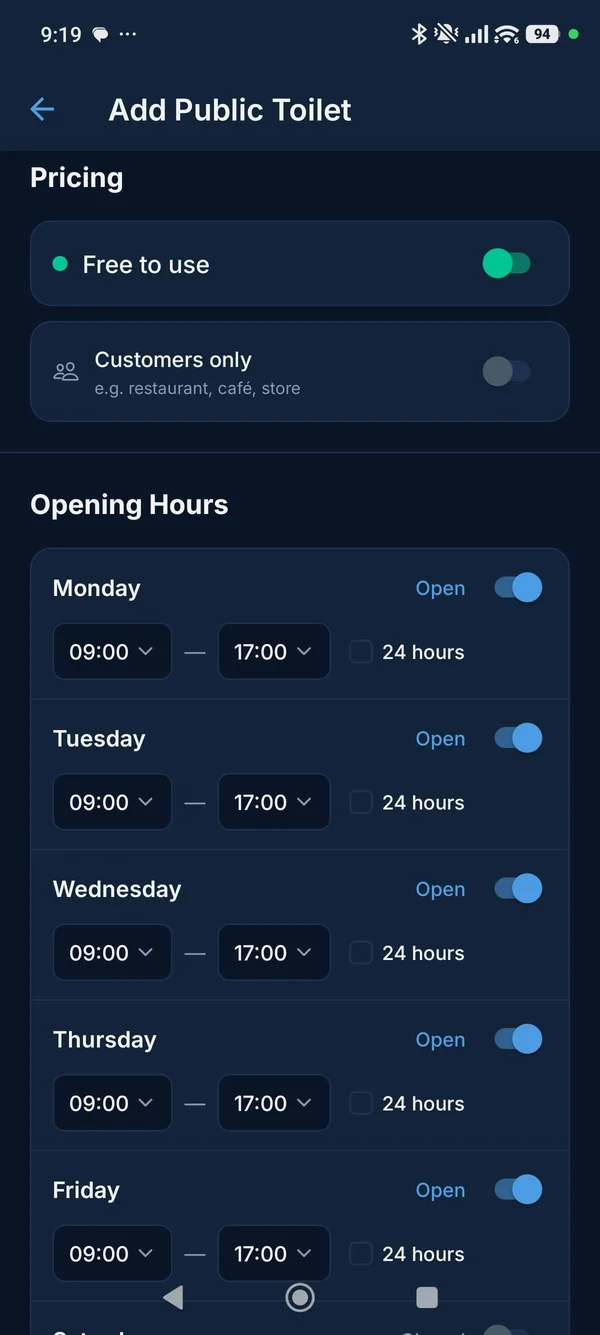
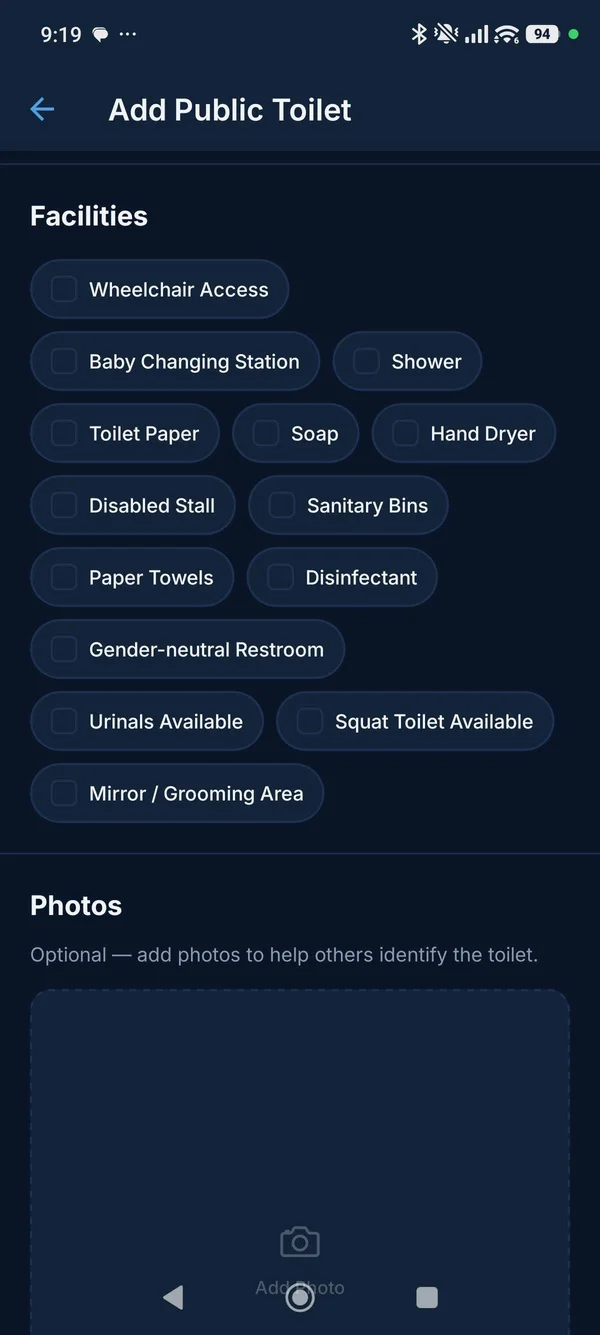
- Add the toilet when you find one. If you find a public toilet that isn't in WC Finder, add it — with photos, opening hours, and pricing. You'll be helping every other user who searches "WC near me" in that location in the future.
Every toilet listing in WC Finder was added by someone who was once in the same situation as you — needing a WC and not knowing where one was. If you find one that's missing from the map, adding it takes under two minutes and helps everyone who comes after you.
WC Near Me When Travelling Abroad
Finding a public toilet when you're in an unfamiliar country is harder than at home. You don't know the neighbourhoods, you may not speak the language, and the local conventions around public toilets can be very different from what you're used to.
WC Finder works worldwide — every country, every city, wherever the community has added listings. A few things worth knowing when searching for a WC near you abroad:
- Paid toilets are far more common in Western Europe than in North America or Eastern Europe. Having 50 cents in local currency on you at all times is sensible in Germany, France, the Netherlands, and the UK.
- Station toilets in the UK typically charge. 20p–30p is standard at train stations. WC Finder's listings include the price so you're not caught off guard.
- In many Southern and Eastern European countries, shopping centre and park toilets are free but may not be reliably stocked with paper. The Toilet Paper filter in WC Finder is particularly useful in these regions.
- In tourist-heavy cities, free public toilets fill up. Reviews in WC Finder often mention queuing times — a useful signal when you're in a hurry.
How to Add a Missing WC to WC Finder
Found a public toilet that isn't in the app? Adding it takes about two minutes and directly improves the experience for every user who searches "WC near me" at that location in the future.
Find a WC near you — right now
Download WC Finder free. See every public toilet near your location, with opening hours, pricing, and real reviews.
Summary
Searching "WC near me" on a general map app is a reasonable first instinct, but it consistently falls short — missing listings, no opening hours, no pricing, no reviews. A dedicated public toilet finder built around community data gives you all of that in one place, instantly.
WC Finder shows you every public toilet near your current location on a live map, colour-coded by price, with opening hours, facility details, and real user reviews. Filter by free, open now, wheelchair access, or baby changing to find the right toilet — not just the nearest one.
Download it free on Android and iOS. The next time you need a WC near you, you'll have it found before you've finished thinking about it.